
| Section | Cite | Code | Finding |
|---|
| No. | Title | Type | Group | Para. | Cite |
|---|
Root cause & deterministic fix
Root cause
Procore expects one row per submittal with a spec section number, title and type, but the requirements live as lettered paragraphs (A. Product Data, B. Shop Drawings) under PART 1 SUBMITTALS articles scattered across hundreds of PDF pages, so coordinators copy them by hand and miss items.
What SpecSlice does
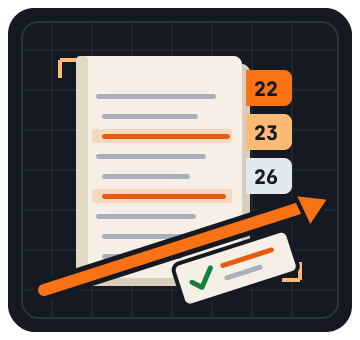
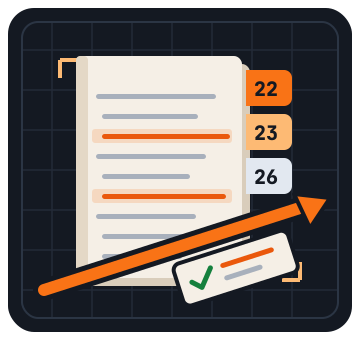
SpecSlice detects each six-digit SECTION header, PART 1 and the SUBMITTALS / ACTION / INFORMATIONAL / CLOSEOUT articles, turns every lettered paragraph into a numbered submittal (e.g. 23 05 93-001) typed to Procore defaults, and exports a CSV with spec page and line citations.
Onemissedcloseoutsubmittalcanholdupamechanicalcontractor'sfinalpaymentformonths.SpecSliceputseveryrequireditemonthelogbeforethefirstshopdrawinggoesout.
Spec-writer conventions, read paragraph by paragraph.
Each rule is a plain, inspectable check — not a model's best guess.
Sections and articles, found reliably
Six-digit MasterFormat headers (SECTION 23 05 93 or 230593), PART 1/2/3, and SUBMITTALS, ACTION, INFORMATIONAL, CLOSEOUT and MAINTENANCE MATERIAL articles are detected whether numbered 1.3 or 1.04.
One log line per lettered paragraph
Each A./B./C. paragraph becomes a submittal typed as Product Data, Shop Drawings, Samples, Test Reports, Certificates, O&M Manuals, Warranty or Record Drawings — grouped action, informational or closeout.
Gaps flagged before buyout
Sections with no SUBMITTALS article, duplicate addendum reissues, malformed numbers and references to sections missing from the book are listed with page and line, ready for an RFI.
Code level determinism when you need it. Browser simplicity when you do not.
The same spec book produces the same submittal log every time. No AI summarizing your specs, no cloud upload, no annual seat license.
What it costs compared to the usual options.
Published list prices as of October 2026. No sales call required.
| SpecSlice | Autodesk AutoSpecs | Part3 | Manual extraction | |
|---|---|---|---|---|
| Price | $29 per Spec Book | ~$16,000 / year | $2,400 / year | Staff hours |
| Subscription or contract | None | Annual | Annual | None |
| Builds the log from PART 1 submittal articles | Yes, rule-based | Yes | Yes | Read & retype |
| Procore submittal log CSV | Yes | Autodesk Build focus | Own platform | Typed by hand |
| Page & line citation per item | Every item | Spec section reference | Spec section reference | If you type it |
| Where the spec book is processed | Your browser | Autodesk cloud | Vendor cloud | Your desk |
Questions we hear most.
Does it work with PDF project manuals?
Yes, if the PDF has a text layer — most manuals exported from MasterSpec, SpecLink or Word do. SpecSlice reads it page by page with pdf.js in your browser. Scanned image-only pages need OCR first; you can also paste text or upload a .txt export.
Which sections and articles does it pick up?
Any six-digit MasterFormat section in any division, with PART 1 articles titled SUBMITTALS, ACTION SUBMITTALS, INFORMATIONAL SUBMITTALS, CLOSEOUT SUBMITTALS or MAINTENANCE MATERIAL SUBMITTALS. Pre-2004 five-digit numbers are flagged so you can map them first.
Will Procore accept the CSV?
The Procore file uses submittal log fields — Spec Section Number, Spec Section Description, Submittal Number, Revision, Title, Type, Description, Status — with types mapped to Procore defaults such as Product Information, Shop Drawing and Sample. If your company uses custom types, map that column once in the import template.
How are page and line numbers counted?
Pages follow the PDF page order, or form-feed and --- PAGE n --- markers in text. Lines count from the top of each page, so p.3 L7 takes a reviewer straight to the paragraph that requires the submittal.
What does the $29 Spec Book pass include?
The section and submittal preview is free. $29 per Spec Book unlocks the full multi-division Procore and Autodesk Build CSV exports with page and line citations, re-runnable when addenda reissue sections on the same project. No subscription.
Is my project manual uploaded anywhere?
No. Text extraction and parsing run inside your browser tab. The PDF reader library is fetched from a public CDN, but your file is never sent to it or to us.